
 Widya pasha
Wireless mouse technology has revolutionized the way we interact with computers, offering convenience and flexibility that wired models cannot match. With advancements in wireless communication protocols like RF and Bluetooth, users can enjoy a clutter-free workspace while maintaining excellent responsiveness and precision.
From gaming to everyday use, wireless mice cater to various needs and preferences, making them an essential accessory for modern computing. In this exploration, we’ll delve into the technology behind these devices, their benefits, types available on the market, and the essential features to consider when choosing the perfect wireless mouse for your needs.
Understanding the Technology Behind Wireless Mice
Wireless mice operate using advanced communication technologies that allow seamless interaction with computers without physical connections. The two primary wireless communication protocols utilized in these devices are Radio Frequency (RF) and Bluetooth. Understanding how these technologies work is essential for anyone looking to choose the right wireless mouse or grasp the technology behind these popular peripherals.
Both RF and Bluetooth technologies facilitate communication between the wireless mouse and the computer, albeit in slightly different ways. RF typically operates at a frequency of 2.4 GHz, which is a common band for many wireless devices. A wireless mouse equipped with RF technology uses a small USB receiver that plugs into the computer. When a user moves the mouse, it sends radio signals to the receiver, communicating the movement and button clicks. The receiver then translates these signals into data that the computer can understand, allowing for real-time interaction.
On the other hand, Bluetooth technology allows devices to communicate directly without the need for a USB receiver. This technology creates a secure connection between the mouse and the computer, facilitated by pairing processes, which typically involve entering a code or confirming a connection request. Bluetooth mice can connect to multiple devices, making them versatile for users who switch between multiple computers or tablets.
When comparing RF and Bluetooth connectivity, both have distinct advantages and disadvantages.
Advantages and Disadvantages of RF and Bluetooth Connectivity
Understanding the pros and cons of each technology can help users make informed decisions based on their needs.
RF Advantages:
- Lower Latency: RF mice generally provide faster response times, making them ideal for gaming and tasks requiring precision.
- Simpler Connectivity: With a USB receiver, RF devices are often easier to set up without the need for pairing.
RF Disadvantages:
- Limited Connectivity: RF mice typically can only connect to one computer at a time.
- USB Port Requirement: They require an available USB port on the computer, which may be a limitation for devices with fewer ports.
Bluetooth Advantages:
- Multiple Device Pairing: Bluetooth mice can connect to several devices, allowing easy switching.
- No USB Receiver Needed: This frees up USB ports for other peripherals.
Bluetooth Disadvantages:
- Higher Latency: Bluetooth may have slightly slower response times compared to RF, which can be noticed in high-stakes gaming.
- Complex Setup: The pairing process can sometimes be cumbersome for new users.
In summary, both RF and Bluetooth technologies have unique advantages and drawbacks, influencing their suitability for various users and applications.
The Benefits of Using a Wireless Mouse
Using a wireless mouse offers distinct advantages that enhance the overall computing experience compared to traditional wired mice. As technology has evolved, wireless options have become more reliable and accessible, making them a popular choice among users. Let’s delve into the key benefits that come with utilizing a wireless mouse.
Key Advantages of a Wireless Mouse
One of the primary advantages of a wireless mouse is the freedom of movement it provides. Unlike wired mice, which can be limited by cable length and may require adjustments in positioning, wireless mice operate efficiently without cords. This factor alone allows for more flexibility in how and where users choose to work. Additionally, wireless mice often come equipped with advanced optical sensors that enhance tracking precision, making them suitable for a variety of tasks, from casual browsing to intense gaming sessions.
Portability Enhancing User Experience
The portability of a wireless mouse significantly enhances the user experience, especially for travelers. When on the go, having a compact, lightweight device that can easily fit into a laptop bag is invaluable. Wireless mice are designed with travel in mind, often featuring rechargeable batteries or extended battery life, ensuring they’re ready to use whenever you need them.
In many cases, the design of these mice includes an ergonomic shape that promotes comfort during prolonged use. This is particularly beneficial for individuals who frequently work from different locations, allowing them to maintain productivity without sacrificing comfort.
Contributing to an Organized Workspace
A wireless mouse contributes to a more organized workspace by minimizing cord clutter, which can often lead to a chaotic environment. With no cables to manage, users can arrange their desks in a way that promotes efficiency and reduces distractions. This organizational aspect is particularly relevant in shared office spaces or home environments where multiple devices may be in use.
Moreover, a cleaner workspace positively affects mental clarity and focus. When everything has its place and there are fewer physical distractions, it becomes easier to concentrate on the tasks at hand. Many wireless mice also come with storage solutions, such as compartments for USB receivers, ensuring that all components stay together and organized.
A wireless mouse not only enhances mobility and convenience but also cultivates a more organized environment, leading to improved productivity and comfort.
Popular Types of Wireless Mice Available in the Market
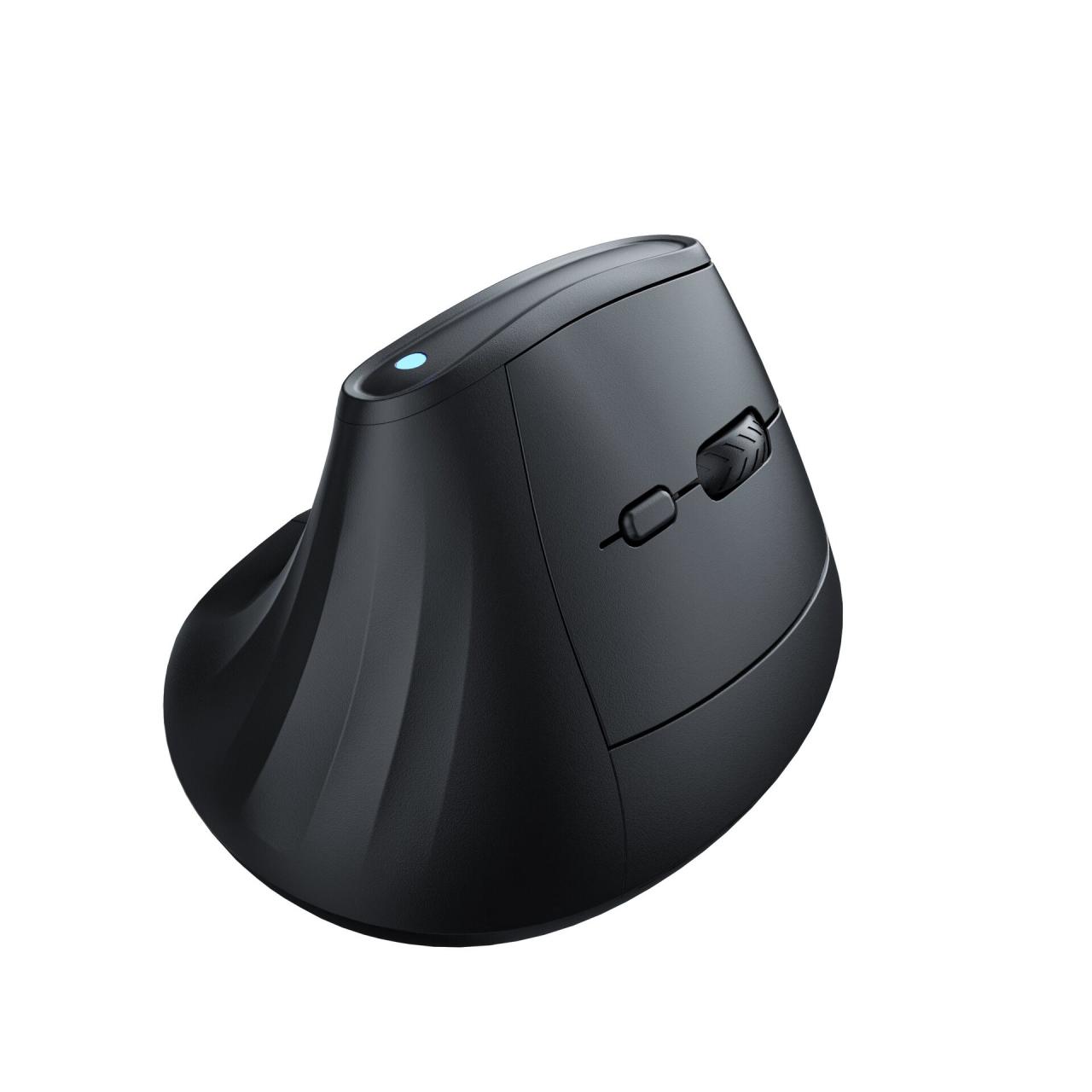
Wireless mice have become a staple for both casual computer users and professionals alike. Their convenience and lack of cords provide freedom of movement, allowing users to navigate with ease. With the diverse range of wireless mice available today, it’s essential to know which type suits your needs best.
Different types of wireless mice cater to various preferences and uses. Whether you are a gamer seeking precision, an ergonomic enthusiast wanting comfort during long hours of work, or a traveler needing portability, there is a wireless mouse designed for you. Here, we explore the most popular types of wireless mice, along with examples of leading brands and models, highlighting their unique features.
Types of Wireless Mice
To better understand the options available, let’s delve into three primary categories of wireless mice: ergonomic mice, gaming mice, and travel mice. Each type offers distinct features and benefits tailored to specific user requirements.
Ergonomic Mice
Ergonomic mice are designed to reduce strain and discomfort during prolonged use. They often feature a contoured shape that fits comfortably in the hand, promoting a natural wrist position. This design helps prevent repetitive strain injuries associated with extended computer use.
Prominent examples include:
- Logitech MX Vertical: This mouse features a 57-degree vertical angle to reduce wrist strain, customizable buttons, and a battery life lasting up to four months.
- Microsoft Sculpt Ergonomic Mouse: Known for its thumb scoop design, it enhances comfort and provides a natural hand position, perfect for extended use.
Gaming Mice
Gaming mice are engineered for high performance and precision, often featuring customizable DPI settings, programmable buttons, and enhanced tracking capabilities. These are essential for gamers who require quick reflexes and accuracy in their gameplay.
Popular models include:
- Razer DeathAdder V2: This mouse boasts a high-precision 20,000 DPI optical sensor, customizable RGB lighting, and ergonomic design for comfort during long gaming sessions.
- Logitech G Pro Wireless: A favorite among professional gamers, it offers ultra-lightweight design, up to 25,600 DPI, and lag-free performance.
Travel Mice
Travel mice are compact and portable, designed for users on the go. They are lightweight, often featuring a slim profile that easily fits into bags or laptop cases. Despite their small size, many models maintain functionality and comfort.
Examples include:
- Logitech M330 Silent Plus: This mouse is compact, featuring silent clicks, and offers a battery life of up to 24 months, making it ideal for travel.
- Microsoft Arc Mouse: With its unique design that flattens for portability, it provides a modern touch and reliable performance on the road.
Comparison Table of Popular Wireless Mice
To help you make an informed decision, here’s a comparison table that Artikels key specifications and price ranges for the popular models discussed:
| Mouse Model | Type | DPI Range | Battery Life | Price Range |
|---|---|---|---|---|
| Logitech MX Vertical | Ergonomic | 4,000 | 4 months | $99.99 |
| Razer DeathAdder V2 | Gaming | 20,000 | 70 hours | $69.99 |
| Logitech M330 Silent Plus | Travel | 1,000 | 24 months | $29.99 |
| Microsoft Sculpt Ergonomic Mouse | Ergonomic | N/A | 3 years | $49.99 |
| Logitech G Pro Wireless | Gaming | 25,600 | 60 hours | $149.99 |
| Microsoft Arc Mouse | Travel | N/A | 6 months | $79.99 |
The diversity among wireless mice ensures there is something for everyone, depending on their specific needs and preferences. With advancements in technology, these devices continue to evolve, offering enhanced features and improved user experiences.
Essential Features to Consider When Choosing a Wireless Mouse
When selecting a wireless mouse, several critical features should be considered to ensure optimal performance and user satisfaction. It’s not merely about choosing a mouse that looks appealing; functionality is key. Various aspects such as DPI settings, battery life, and design play significant roles in your computing experience. Understanding these features can help users make an informed decision tailored to their specific needs.
DPI (Dots Per Inch) settings determine the sensitivity of the mouse. A higher DPI means the cursor moves faster, which can be beneficial for gamers or graphic designers who require precision. Conversely, a lower DPI may be preferred for tasks that involve fine control, such as photo editing. Battery life is equally important; a mouse that frequently requires recharging or new batteries can be frustrating and disruptive. Additionally, a well-designed mouse should feel comfortable in your hand and support your grip style, thus minimizing fatigue during extended use.
Must-Have Features Checklist for Wireless Mice
When purchasing a wireless mouse, it’s essential to focus on features that meet your unique requirements. Below is a checklist of must-have features to consider:
- DPI Settings: Look for adjustable DPI settings to customize sensitivity based on your activities.
- Battery Life: Opt for a mouse with a long battery life or rechargeable options to avoid interruptions.
- Ergonomic Design: Choose a mouse that fits comfortably in your hand to reduce strain during long sessions.
- Additional Buttons: Consider programmable buttons for shortcuts, which can enhance productivity.
- Connection Type: Ensure it has a reliable wireless connection, preferably with Bluetooth or a USB receiver.
- Compatibility: Verify that the mouse is compatible with your operating system and devices.
- Weight and Size: Select a mouse that is portable if you travel frequently but also provides stability when in use.
The importance of these features cannot be overstated, as they directly impact user experience. For example, a gamer who opts for a mouse with adjustable DPI can quickly switch settings for different gaming scenarios, enhancing their performance. Similarly, a professional who spends hours on their computer will benefit significantly from a mouse designed with ergonomics in mind, leading to better comfort and efficiency. Always keep your specific usage patterns in mind while evaluating these features to ensure you select the best wireless mouse for your needs.
Troubleshooting Common Issues with Wireless Mice
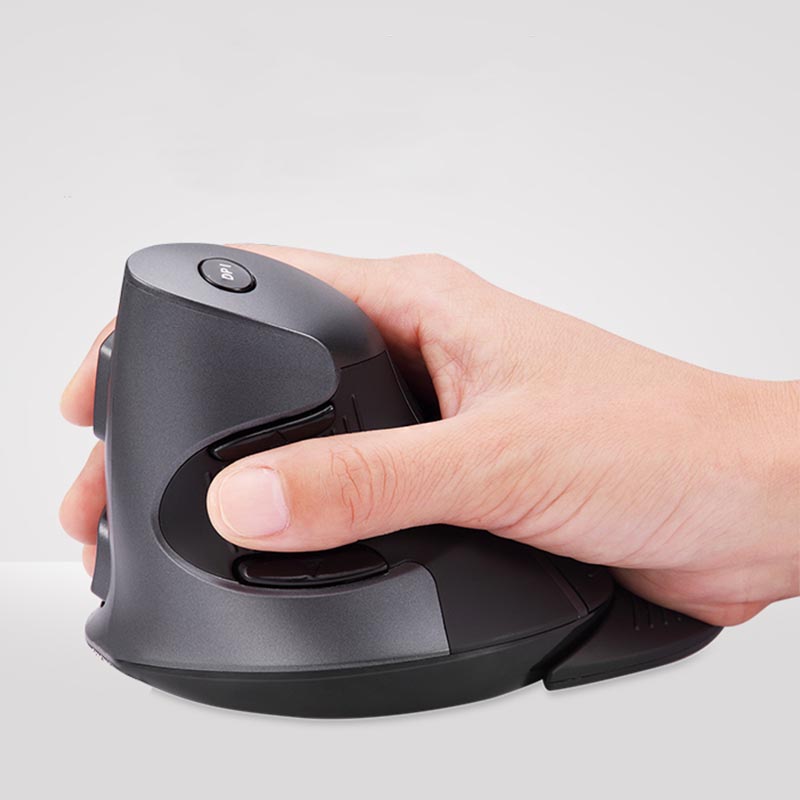
Wireless mice are beloved for their convenience and freedom of movement, but like any technology, they can encounter issues. Users often experience problems that can disrupt their workflow, such as connectivity problems or unexpected battery failures. Addressing these common issues can help ensure a smooth experience with your wireless mouse.
When troubleshooting wireless mice, it’s essential to first identify the specific problem. Users typically face connectivity issues, where the mouse does not respond or disconnects intermittently. Battery failures can also arise, leading to erratic performance or total loss of function. By understanding these common issues, users can take effective steps towards resolution.
Common Problems and Solutions
Below are some of the typical issues encountered with wireless mice, along with detailed steps for troubleshooting.
- Connectivity Issues: A common problem is the mouse failing to connect to the computer or losing connection frequently. This can often be resolved by:
– Ensuring the USB receiver is securely plugged into the computer.
– Trying a different USB port to eliminate port issues.
– Checking for interference from other wireless devices, such as routers or microwaves.
– Re-syncing the mouse and receiver by pressing the connect button on both devices.
- Battery Failures: Another frequent issue is the mouse not functioning due to dead or low batteries. To troubleshoot this issue:
– Replace the batteries with fresh ones to ensure power is adequate.
– Clean the battery contacts to ensure good connectivity.
– If the mouse uses rechargeable batteries, ensure it has been adequately charged.
Quick Fixes and Maintenance Tips
To help prolong the lifespan of a wireless mouse and minimize future issues, consider these maintenance tips and quick fixes:
- Always store the mouse in a safe place to avoid physical damage.
- Regularly clean the mouse, particularly the sensor and buttons, to prevent dirt buildup.
- Disconnect the mouse when not in use to conserve battery life.
- Update drivers periodically to ensure compatibility with your operating system.
- Consider using a mouse pad with a suitable surface quality to enhance tracking accuracy.
- Monitor battery levels and replace or recharge them regularly to avoid unexpected failures.
Regular maintenance and troubleshooting can greatly enhance the performance and longevity of your wireless mouse.
The Impact of Wireless Mice on Gaming Performance
Wireless mice have significantly transformed the gaming landscape, evolving rapidly to meet the demands of both casual and competitive gamers. Initially, concerns about latency and reliability held back the adoption of wireless technology in gaming; however, advancements in sensor technology and wireless communication have alleviated these issues. This evolution has allowed gamers to enjoy the freedom of movement without compromising performance, making wireless mice a viable choice for competitive play.
Evolution of Wireless Gaming Mice
The development of wireless gaming mice has been remarkable, focusing on reducing latency and enhancing accuracy. Early wireless models suffered from noticeable lag, which could hinder performance during fast-paced gaming sessions. However, recent innovations, such as low-latency wireless technology and high-DPI sensors, have significantly narrowed the performance gap between wired and wireless options.
Notable advancements include:
- Low-latency technology: Modern wireless mice utilize advanced protocols and technologies like Logitech’s LIGHTSPEED or Razer’s HyperSpeed, which provide a response time comparable to wired connections.
- Improved battery life: Many wireless gaming mice now feature energy-efficient designs, allowing for extended gameplay without frequent recharging, with some models boasting battery life lasting weeks on a single charge.
- High DPI sensors: Current models offer DPI settings up to 20,000 or more, providing gamers with exceptional precision and tracking capabilities to match their specific gaming styles.
Popular Wireless Gaming Mice
Several wireless mice have emerged as favorites within the gaming community, each offering unique features that cater to competitive gamers. Some of the standout models include:
- Logitech G Pro X Superlight: This mouse is renowned for its ultra-lightweight design and exceptional performance, boasting a HERO sensor with a DPI range of up to 25,600.
- Razer Viper Ultimate: Featuring Razer’s HyperSpeed technology, this mouse excels in both speed and precision, making it a top choice for eSports professionals.
- Corsair Dark Core RGB SE: This model emphasizes customizable options and ergonomic design, offering wireless charging capabilities for convenience during long gaming sessions.
Community Perception of Wireless vs. Wired Mice
The gaming community has shown a favorable shift towards wireless mice, although opinions still vary. Many competitive players have embraced wireless technology, citing the convenience and freedom of movement it provides. However, some gamers remain loyal to wired mice, often due to the assurance of consistent performance and zero latency.
Key factors influencing community perceptions include:
- Performance consistency: While most modern wireless mice have minimized latency, some gamers believe wired connections still offer slightly better reliability during critical moments.
- Personal preference: Comfort and usability play a significant role in choice; some players prefer the feel of wired mice due to their weight distribution and cable management.
- Usage scenarios: Casual gamers may lean towards wireless for convenience, while competitive players may choose wired for tournaments to avoid any potential connectivity issues.
“The best mouse for gaming is one that feels right in your hand, whether it’s wired or wireless.”
Environmental Considerations and the Future of Wireless Mice
The growing adoption of wireless mice has raised important discussions around environmental sustainability. As technology becomes more integrated into daily life, it’s essential to consider the materials used in production, the impact of electronic waste, and the advancements being made towards more eco-friendly designs. The future of wireless mice is not only about enhanced functionality but also about minimizing their environmental footprint.
The environmental impact of wireless mice primarily revolves around the materials used in their manufacturing and the resulting electronic waste. Many traditional mice contain plastics, metals, and electronic components that can contribute to pollution and landfill overload. The disposal of these products contributes significantly to e-waste, which is one of the fastest-growing waste streams globally. According to the Global E-waste Monitor, 53.6 million metric tons of e-waste was generated in 2019 alone, and only about 17% was recycled. This highlights the pressing need for sustainable practices in the design and production of wireless mice.
Advancements in Sustainable Design
Recent innovations are paving the way for more sustainable wireless mice. Manufacturers are increasingly focusing on using recyclable materials and reducing the environmental impact of their products. The following advancements have been noted:
- Use of Recycled Materials: Many companies are now incorporating recycled plastics into their mouse designs. For instance, Logitech’s Pebble M350 is made from 20% recycled plastic, demonstrating a shift towards more responsible sourcing.
- Biodegradable Components: A few brands are exploring the use of biodegradable materials that decompose more efficiently than conventional plastics, minimizing landfill contributions.
- Energy Efficiency: Advances in battery technology are leading to longer battery life and less frequent replacements, reducing overall waste and energy consumption. Rechargeable batteries have become a standard feature in many wireless designs.
- Modular Designs: Some manufacturers are adopting modular designs that allow for easier repairs and upgrades, which can extend the life of the mouse and decrease e-waste.
It is crucial to recognize the potential trends that may influence the future of wireless technology and computer peripherals. As sustainability becomes a priority, innovations will likely continue to evolve. The integration of smart technology in wireless mice is one such trend. Features like adaptive connectivity, which allows the device to switch between different wireless protocols based on the environment, could optimize performance while conserving energy.
Additionally, the circular economy is gaining traction, where products are designed for reuse, repair, and recycling. Companies may implement take-back programs to encourage proper disposal and recycling of old devices. This aligns with global initiatives to reduce e-waste and promote sustainable consumption patterns.
Moreover, the emergence of biodegradable circuits and composite materials has the potential to revolutionize the production of wireless mice. These materials not only serve as alternatives to traditional components but also enhance the overall sustainability of the product lifecycle.
In summary, the future of wireless mice holds promise as the industry pivots towards eco-friendly practices and innovative designs. As consumers become increasingly conscious of environmental issues, manufacturers who prioritize sustainability will likely gain a competitive edge in the market.
Final Conclusion
In conclusion, the wireless mouse stands as a symbol of efficiency and innovation in the world of computer peripherals. With their continuous evolution, these devices not only enhance user experience but also adapt to the changing demands of technology and gaming. As we move towards a more sustainable future, understanding the impact and potential of wireless mice will be crucial for both users and manufacturers alike.
FAQ Section
What is the average battery life of a wireless mouse?
The average battery life of a wireless mouse ranges from several months to a couple of years, depending on usage and the type of batteries used.
Can I use a wireless mouse on any surface?
Most wireless mice work well on various surfaces, but some optical and laser mice may perform better on specific materials like mouse pads.
How do I connect a wireless mouse to my computer?
To connect a wireless mouse, plug in the USB receiver and turn on the mouse; most will automatically pair. For Bluetooth models, enable Bluetooth on your device and follow the pairing instructions.
Are there wireless mice specifically designed for gaming?
Yes, there are wireless mice designed for gaming, featuring low latency, high precision, and customizable settings to enhance the gaming experience.
Is it possible to use a wireless mouse while charging?
Many wireless mice allow for use while charging, but this depends on the specific model and its design.